Guide: 2, 4 & 6 week checkup
For the first two months, it's recommended the IMC does bi-weekly performance checkups on the new website.
Tasks to do:
- SEMrush Site Audit checkup (30-60 minutes)
- Google Search Console Status (5-15 minutes)
- Google Lighthouse report (5-10 minutes)
At a total of 90(ish) minutes including debriefing.
SEMRush site audit worst offenders
In no particular order:
- Broken links, internal and external
- 4XX Status codes
- Missing title and header (h1,h2,h3) tags
- Structured data is invalid
- Pages tagged with 'has slow load speed'
- Issues with mixed content
- Redirect chains/loops
Not entirely necessary but more 'nice to haves':
- Images don't have alt attributes
- Temporary redirects
- Missing meta descriptions
- Pages have underscore in the URL
- Links have no anchor text
- Pages needs more than 3 clicks to be reached
Search Console Status
In the menu to the right, in the index category, click into Coverage and you will see the Index Coverage Report. It consists of four tabs:
- Error
- Valid with warnings
- Valid
- Excluded
The current goal is to detect and identify errors. If there's a number present under Error, like on the screenshot below, it means there's some errors at play. Make sure you have not selected any other tab. (in the current iteration of Google Search Console, the tab will highlight if selected. Right now, you want only Red to be highlighted)
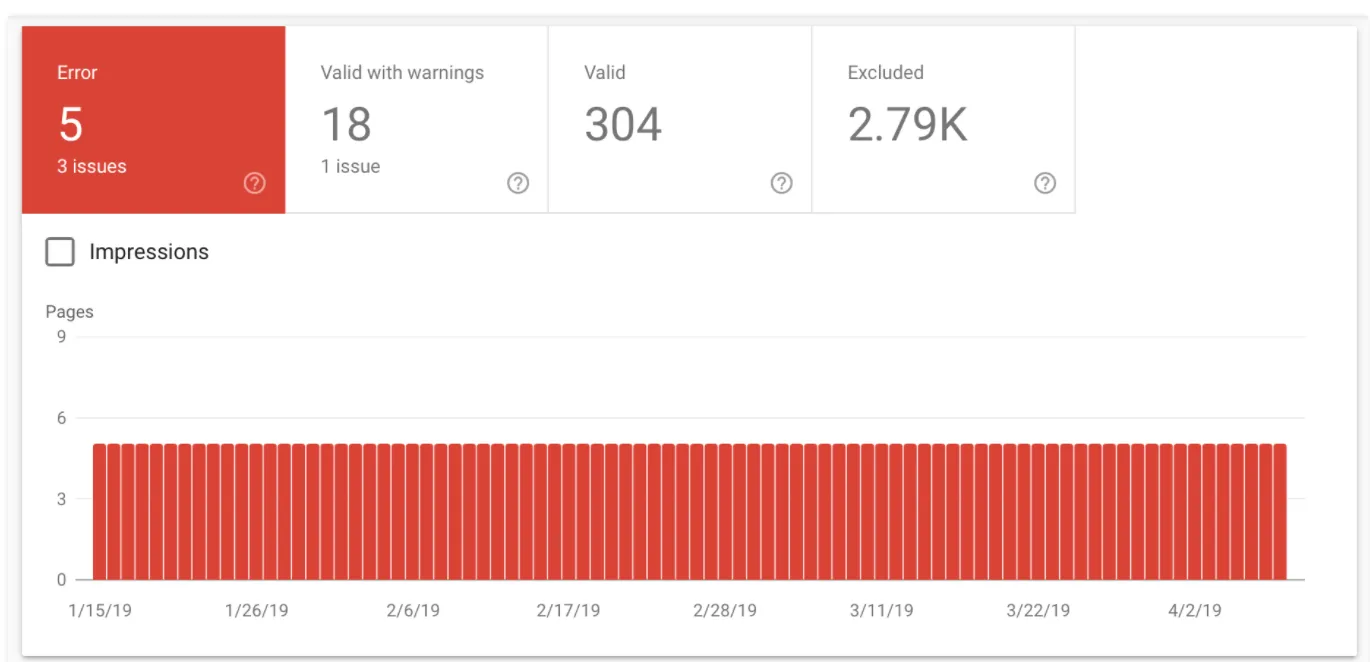
If you scroll down the page, you'll see a detailed overview of the errors. You can click into the individual error types by clicking on the type name on the list. This will give you the option to learn more about the issue and how to fix it. Usually Google does a really good job of explaining what's wrong though if you struggle, a developer will always be able to help you decode the error type and what to do to fix it.
Once you or a developer has fixed the issue, make sure to go back into the Index Coverage Report to check if the error is still listed.
If the fix has been carried out but the error is stil present, click into the coverage report for the single issue type and hit the 'Validate fix' button. Once the validation has confirmed the fix, it will be removed from the list.
Google Lighthouse Report
Use https://web.dev/measure/ to check the current status of the website. We're mainly interested in the performance score.
If the performance score has drastically decreased since launch/handover, you should consult a developer and have them look at the report.
Why your score fluctuates
A lot of the variability in your overall Performance score and metric values is not due to Lighthouse. When your Performance score fluctuates it's usually because of changes in underlying conditions. Common problems include:
- A/B tests or changes in ads being served
- Internet traffic routing changes
- Testing on different devices, such as a high-performance desktop and a low-performance laptop
- Browser extensions that inject JavaScript and add/modify network requests
- Antivirus software
Lighthouse Scoring Calculator and weighting
This is just here, in case someone asks for further information about Lighthouse weighting and how the score is calculated.
There's a tool here. We always use the newest version available. Device type should always be Mobile.